


The small square that needs a complete brief
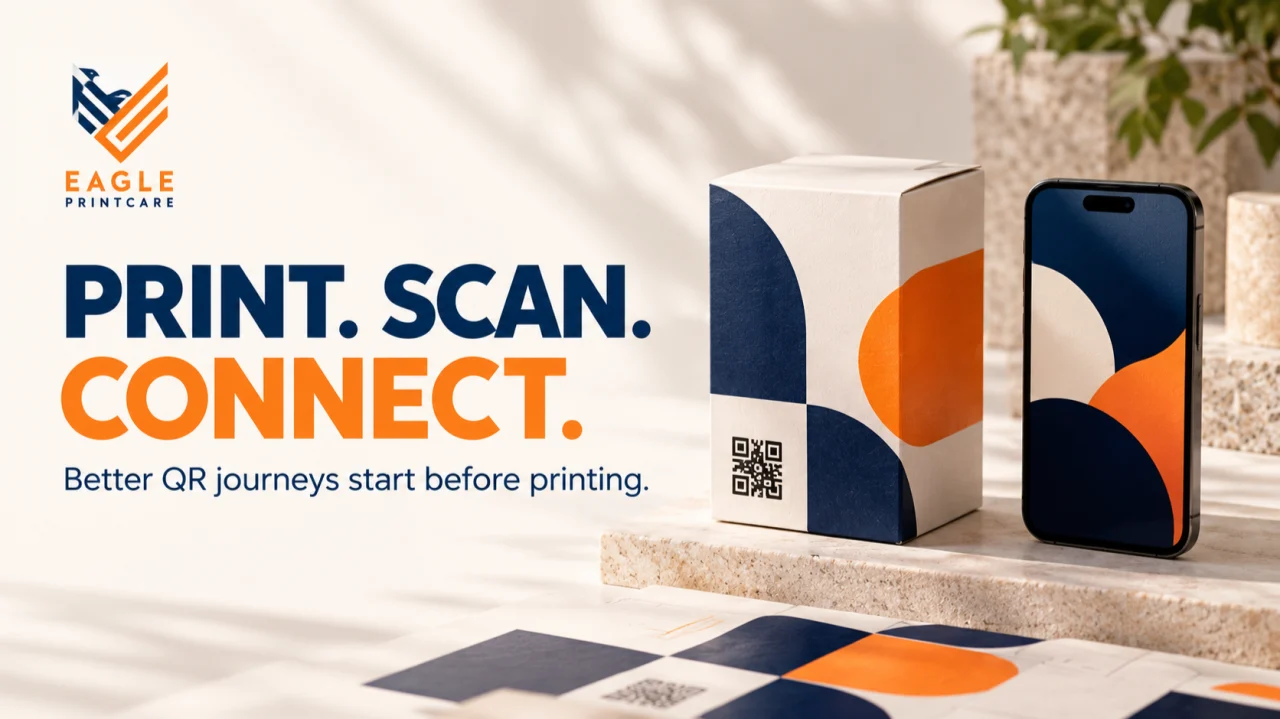
A customer picks up a pack, notices “Scan for care instructions” and opens the camera. What happens next should be predictable: the code is easy to find, the phone recognizes it and the page contains the right information for that product.
That experience depends on several decisions made before printing. Who selected the link? Was the code checked at final size? Did anyone scan the folded and finished packaging? Who will maintain the page when the website changes?
For brands ordering printed packaging in Karur or elsewhere, the QR code deserves its own approval workflow. This guide sets out a practical process for coordinating the brand owner, artwork team, printer and website owner. It focuses on usable packaging and clear responsibilities, rather than promising that adding a code will increase sales or automatically make a pack retail-ready.
Key takeaways
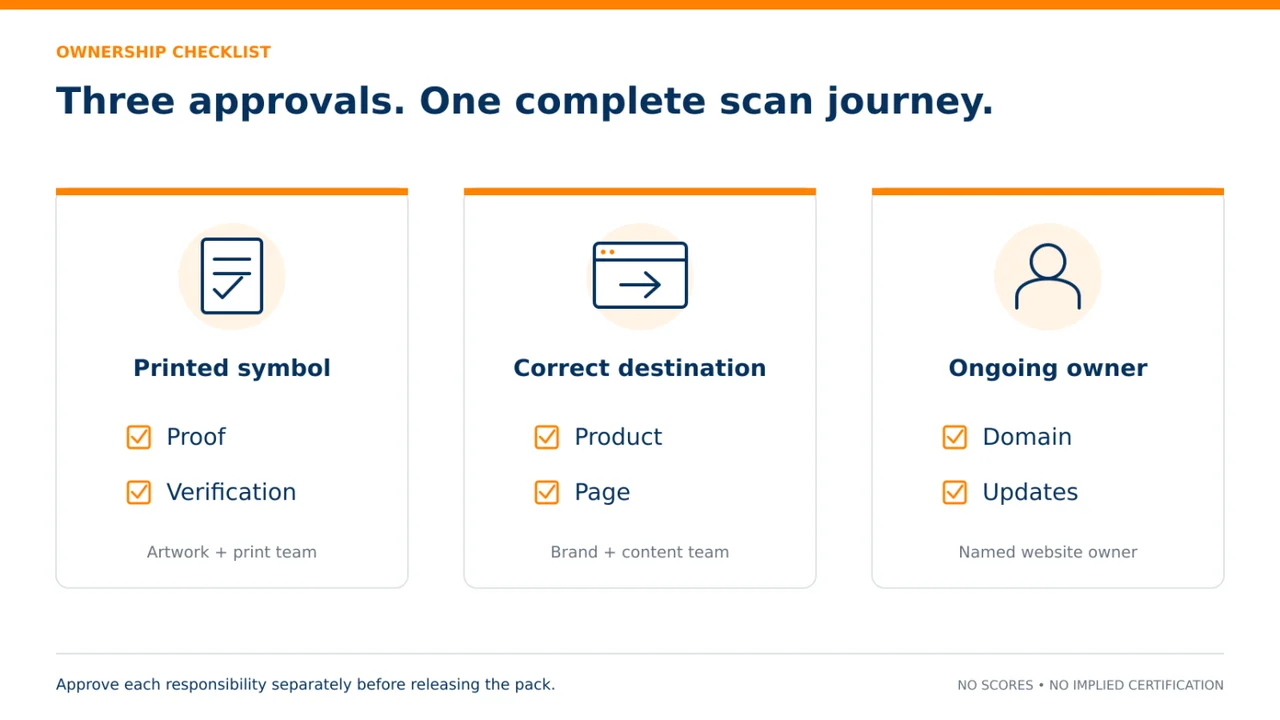
Approve the printed symbol, the web destination and ongoing ownership separately.
Protect the QR code’s four-module quiet zone.
Do not treat a smartphone scan as formal barcode verification or proof of retail compatibility.
1. Decide what the scan is supposed to achieve
Give the code one primary job. It might open product care information, show an assembly guide or lead to a relevant product page. “Improve customer engagement” is too broad to determine whether the implementation works.
Write the expected journey in plain language: a customer scans the code on this product, reaches this page and can complete this action without searching again. Name the intended audience and any necessary language versions. A care guide for a textile product and a wholesale enquiry page serve different needs.
Also decide whether the printed information remains useful without a phone. A QR code should not be treated as permission to remove information that must appear on packaging. Have the responsible compliance owner check applicable product and labeling requirements separately. Keep essential customer instructions accessible in the format required for that particular product.
2. Separate customer links from retail identification
A conventional QR code containing a website address is not automatically a checkout barcode. GS1’s 2D Barcodes at Retail Point-of-Sale Implementation Guideline notes that not every point-of-sale solution can process GS1-compliant 2D barcodes. Retail compatibility must be confirmed with the relevant retailer and solution provider.
GS1 Digital Link provides a standardized way to connect GS1 identifiers with online information. GS1 explains that linked content can be updated without changing the on-pack code. This can support a longer-lived product information journey, but it still requires correct implementation and ongoing management.
For an ordinary promotional or care-information code, keep the brief focused on that use. For a code intended to perform a supply-chain or retail role, involve the appropriate GS1 and retailer contacts before approving artwork. Do not remove an existing required retail barcode simply because a new square code scans on a smartphone.
3. Reserve the symbol and its quiet zone
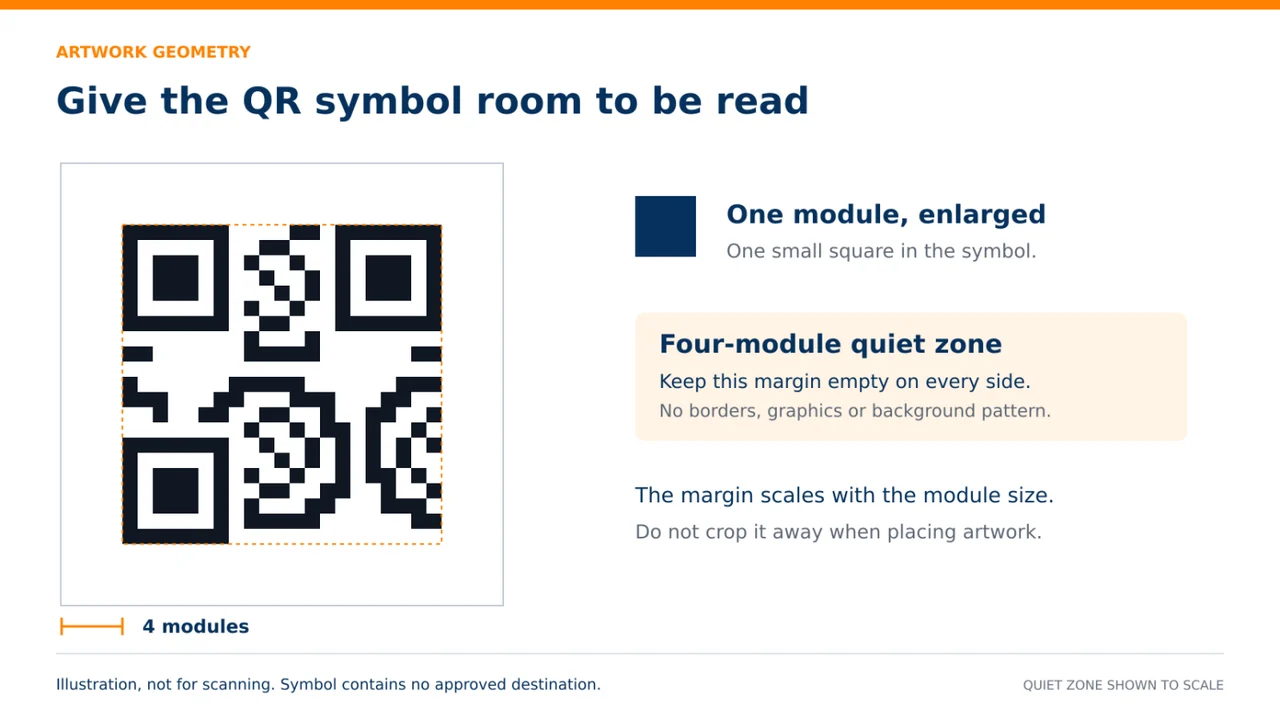
The blank border around a QR code is functional space. DENSO WAVE’s QRcode.com guidance specifies a clear margin four modules wide on every side. A module is one of the small units that forms the symbol. The margin must be protected in the artwork, not treated as spare room for a caption or decorative border.
DENSO WAVE also explains that the overall area depends on the symbol version, module size and margin. This is why a single universal instruction such as “make every code this many millimeters wide” is not a reliable print specification for every use.
Ask the artwork team to identify the code area and the protected surrounding space on the proof. Keep nearby words, rules and graphic elements outside that boundary. A short instruction such as “Scan for care guide” can help customers understand the purpose, but it should be positioned as a separate element rather than squeezed into the margin.
4. Confirm ownership of the destination
Before the QR image is generated, record the exact destination and who controls it. Prefer a destination the brand can maintain for the intended life of the packaging. If a third-party link service is involved, ask what happens if a plan expires, an account changes hands or the service stops operating.
Keep these questions distinct: what data is encoded in the printed symbol, where does the visitor ultimately arrive, and who can change that journey? The word “dynamic” alone does not answer them. Request a written explanation of the setup in terms the brand owner understands.
Give the website owner a release checklist covering the product name, relevant instructions, mobile presentation and contact route. Record who approves page changes later. Packaging may remain in storage or in customers’ homes after a campaign ends, so avoid a destination that becomes meaningless as soon as a short promotion finishes.
5. Treat color and finishing as part of approval
GS1’s retail implementation guidance identifies contrast, reflectance, module uniformity and damage as barcode-quality considerations. It also cautions that aesthetic modifications can affect performance. A code should not be redesigned like a decorative brand pattern without appropriate assessment.
For the print brief, ask whether the chosen surface, ink treatment and finishing process leave the code clear and usable. Request a physical proof when the intended finish could change how the symbol appears. Put the code in a location that can be examined after the pack is assembled, not only while the artwork lies flat.
The practical question is straightforward: will the customer encounter the same readable code that the artwork team approved? Check whether folding, a label, a sleeve or another packaging component covers part of it. If the proposed placement creates doubt, resolve that before releasing a full run rather than relying on the customer to rotate or flatten the pack repeatedly.
6. Keep the approved code file under control
Create one clearly identified master for each approved code and packaging revision. Record which product it belongs to, the encoded destination, the artwork version and the approval date. Avoid a folder of visually similar files named “final,” “latest” and “new final.”
Ask the printer which production file format is appropriate and supply the original generated artwork through the agreed process. Do not assume a screenshot copied from a presentation is equivalent to the approved master. If the code is resized or replaced during artwork preparation, return it to the defined checking step.
Review the code together with the complete panel. Does the instruction match the destination? Is the product version correct? Is there enough space around the code after all other mandatory information is included? Treat a QR change as a controlled artwork revision, even when it appears to be a very small edit.
7. Check the finished pack in two different ways
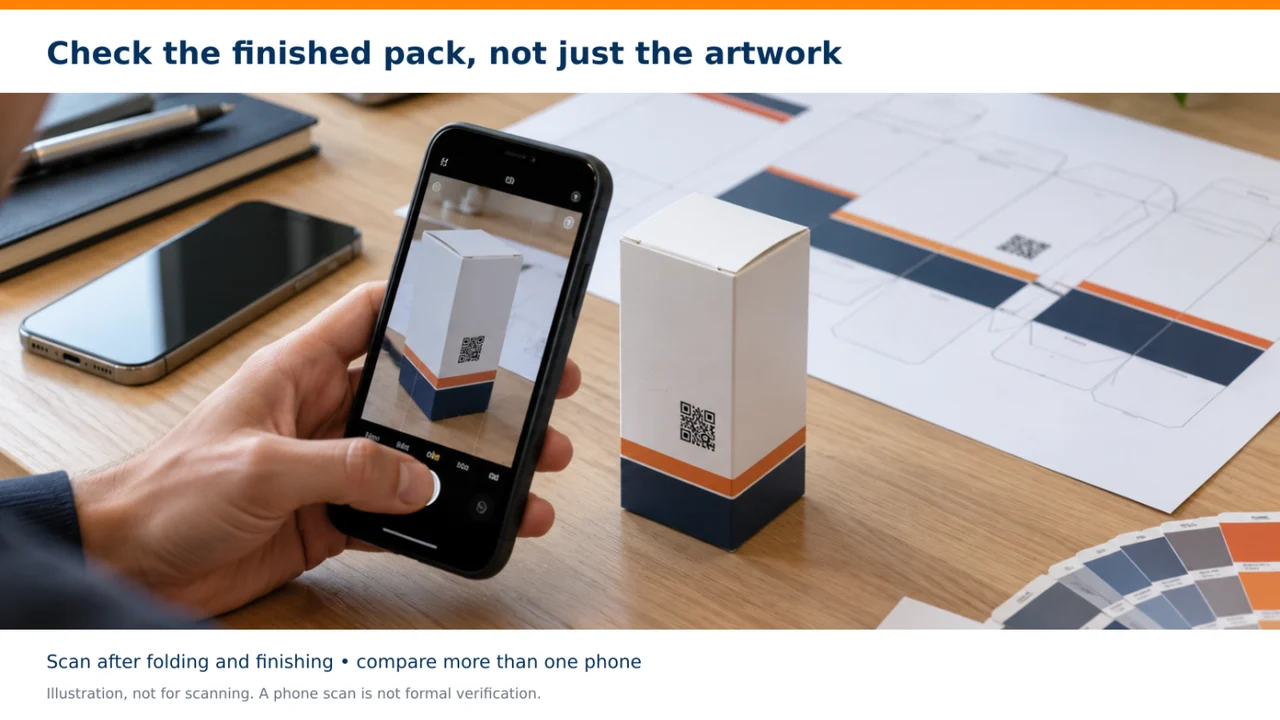
First, perform practical scans on production-representative finished samples using a sensible range of devices and conditions for the intended audience. Record the device, sample reference and result. Include the folded or assembled pack rather than relying entirely on a PDF displayed on a monitor.
Second, determine whether formal barcode verification is required for the intended application. GS1 distinguishes a verifier, which evaluates barcode quality against standards, from a scanner that reads the data. A successful phone scan is useful evidence of that phone’s experience, not a substitute for a required verification report.
Agree with the printer and customer how production sampling will work. This article does not prescribe a universal sample count or pass rate. The appropriate plan depends on the application, process and requirements. What matters operationally is that the approved method is written down and a named person is responsible for checking and recording it.
8. Test the page separately from the printed symbol
GS1 explicitly notes that barcode verification does not validate where a code sends someone on the web. Give the destination its own sign-off. A technically readable symbol can still lead to the wrong product, a missing page or content that is inconvenient on a phone.
Follow the complete journey as a first-time visitor. Check that the page title and product match the packaging. Read the instructions rather than stopping when the page loads. If the pack promises a downloadable guide, test the download. If the destination has language options, check how a visitor finds them.
Also review any request for personal information. A customer seeking basic care instructions should understand why a form is presented and what information is optional. Have the brand’s responsible privacy or legal reviewer assess any collection or tracking that needs review. Do not turn the packaging approval meeting into an unsupported claim of privacy compliance.
9. Use a hypothetical textile example to connect the steps
Imagine a home-textile brand preparing a printed sleeve for a new collection. The proposed QR code says “Scan for care guidance,” but the link opens the brand’s general homepage. This is a hypothetical workflow example, not a reported Eagle Print Care project or customer outcome.
The print team could reproduce that code perfectly and the customer experience would still fall short of the stated purpose. The brand first assigns a product-specific information page, confirms who maintains it and checks that the written guidance matches the product. The artwork team then places the approved code with its protected margin.
A finished sleeve is checked after assembly, and the destination is tested independently. If the printed symbol is difficult to use, the team investigates the physical implementation. If the page is wrong, the website owner corrects the digital journey. Keeping those responsibilities separate helps the team ask a precise question instead of sending a vague complaint that “the QR is not working.”
10. Create a short release record
A useful QR release record can fit on one page. Include the product and artwork revision, master code reference, encoded link, destination owner, approved instruction, physical proof reference, practical scan findings and any required verification report.
Add three explicit approvals: the printed implementation is accepted, the digital content is correct, and someone owns ongoing maintenance. These can come from different people. No one should have to infer that a designer who approved layout also approved the accuracy of a care guide or the commercial terms of a link service.
Keep rejected versions out of the production folder. If the code or destination changes before the print run, check which approvals need to be repeated. If a substitution is proposed on press or during finishing, route it through the agreed owner rather than allowing an undocumented last-minute decision.
11. Keep the code useful after dispatch
Choose a review schedule appropriate to the life of the pack and the importance of its content. Check the journey after website migrations, page reorganizations and ownership changes. Keep a record of which printed products still depend on the destination.
When a product is discontinued, decide what a customer scanning an older pack should see. A clear legacy information page may be more useful than silently sending every visitor to the newest collection. Ask the product owner to decide what information must remain available.
The strongest QR workflow connects print production with digital stewardship. It gives customers a clear reason to scan and gives the business a clear owner for every part of the experience. That small square then becomes a considered part of the pack rather than an extra item placed on the artwork at the end.
Quick questions before approval
Can the QR code replace our retail barcode? Only after the applicable retailer and GS1 requirements have been confirmed. An ordinary website QR code is not automatically a checkout barcode.
Who should own a broken destination? Name the brand’s website or content owner before printing, and retain the approved destination record.
Preparing printed packaging with a QR code? Share your product, intended scan journey and artwork requirements with Eagle Print Care at eagleprintcare.com. Bring the website owner into the approval process early so the printed pack and its digital destination are ready together.
Sources and further reading
Eagle Print Care official website
GS1: 2D Barcodes at Retail Point-of-Sale Implementation Guideline